master techniques migrating php from apache to nginx, configuring nginx to support PATHINFO and debugging nginx rewrite rules
When I was migrating an old web site written in PHP from under Apache2 to Nginx I met a strange problem that the site worked perfectly under Apache2 but crashed for every sub-page under nginx.
The reason was that apache uses rewrite rule with its mod_rewrite and the corresponding php code gets the rewritten url parameter from $_SERVER[REDIRECT_URL]. But nginx does not support that.
I learnt it the hard way so I’d like to write the solution down in case other people met the same problem when migrating from apache to nginx+ php-fpm.
The solution to this problem is sumarized into two steps:
- Migrate
apacherewrite rules fromapachepattern in.htaccesstonginxpattern innginx.conf. Remember nginx server has to be configured to support PATHINFO mode. - php code has to be modified to use
$_SERVER[PATH_INFO]for url.
For step 1, here’s an example ofnginx.conf code snippet. Just copy it into your own nginx.conf file under server section.
server {
    ...

    location / {
        if (!-e $request_filename) {
            rewrite  ^/(.*)$  /index.php/$1  last;
                    break;
        }
    }

    location ~ \.php {
        fastcgi_pass 127.0.0.1:9000;
        fastcgi_index index.php;
        include fcgi.conf;
        set $real_script_name $fastcgi_script_name;
        if ($fastcgi_script_name ~ "^(.+?\.php)(/.+)$") {
            set $real_script_name $1;
            set $path_info $2;
        }
        fastcgi_param SCRIPT_FILENAME $document_root$real_script_name;
        fastcgi_param SCRIPT_NAME $real_script_name;
        fastcgi_param PATH_INFO $path_info;
    }
   ...
}
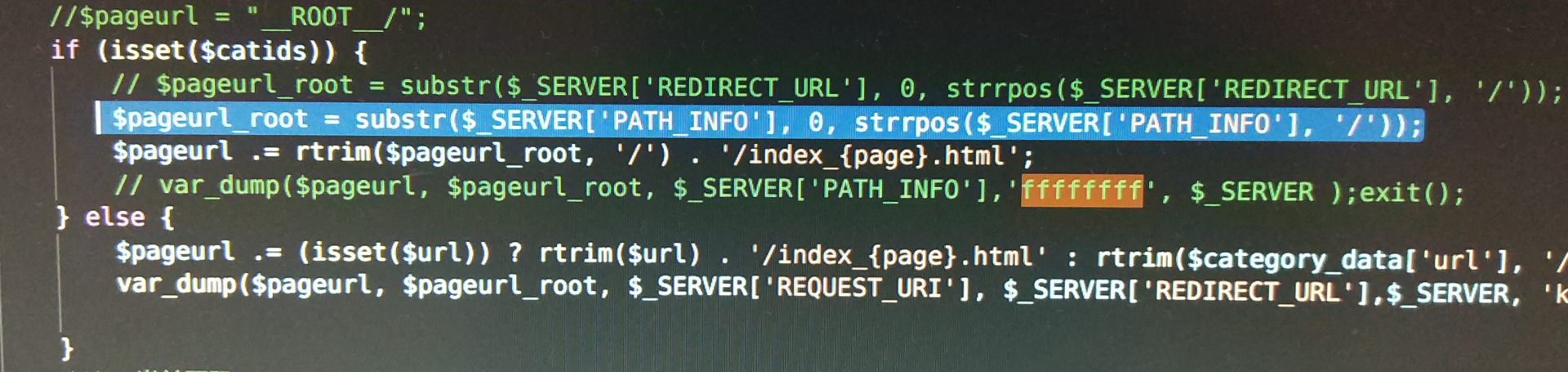
For step2, please see these two lines of php code getting $_SERVER[REDIRECT_URL] and $_SERVER[PATH_INFO] in the picture below.
The php source code using pathinfo mode is highlighted. You should change the code accordingly, of course.
Here I’d mension a small technique to debug nginx rewrite rule.
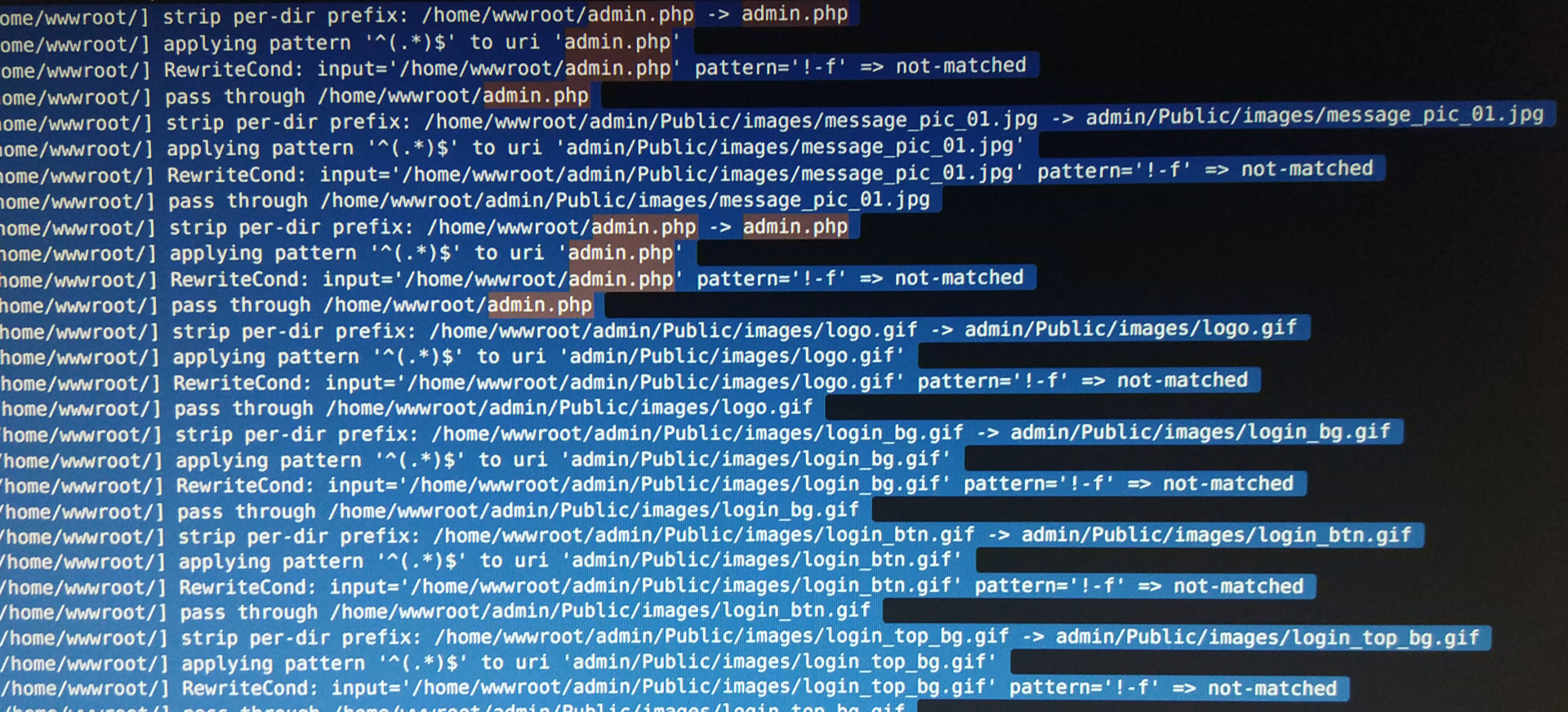
In your nginx.conf file, write the following code snippet to record rewrite rule log in nginx’s error log.
server {
        error_log    /var/logs/nginx/example.com.error.log;
        rewrite_log on;
}
Remember to close it with rewrite_log off; when you finish debugging.
To write logs only from a targeted ip:
events {
        debug_connection 1.2.3.4; # your targeted ip address here.
}